AI is making companies rethink parts of computing that were frozen in their functionality for decades.
Google DeepMind has published a blog post and experimental demos outlining its vision for an AI-enabled mouse pointer — one that doesn’t just track where you’re pointing, but understands what you’re pointing at. The effort, powered by Gemini, represents one of the more concrete attempts to embed AI directly into the basic act of using a computer, rather than routing users through a separate chat window.
The Core Idea: AI That Comes To You
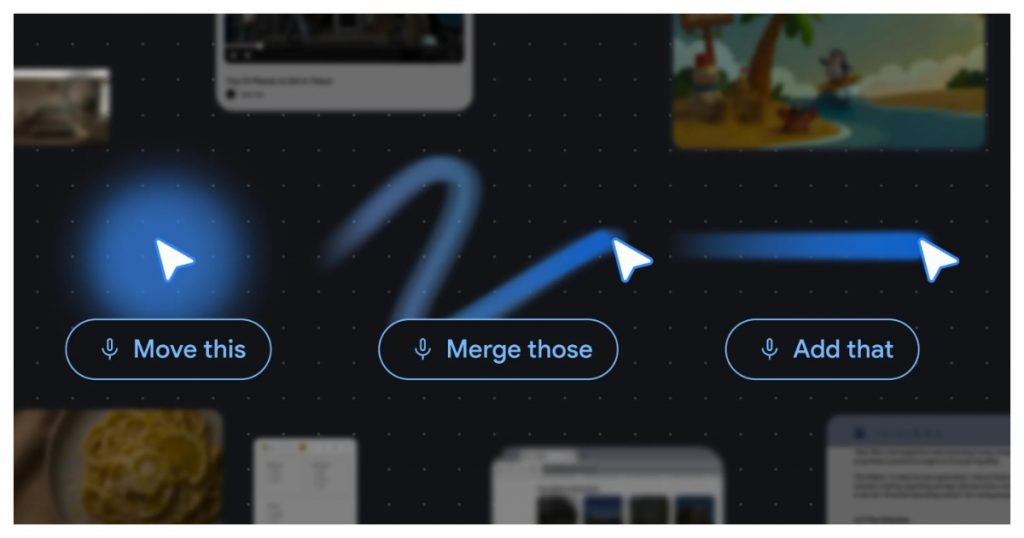
The mouse pointer has gone largely unchanged for over 50 years. Google DeepMind’s pitch is simple: that’s a problem AI can now fix. The frustration they’re targeting is familiar — most AI tools require users to leave what they’re doing, open a separate interface, and re-explain their context. The AI-enabled pointer flips that model. Instead of dragging your work to the AI, the AI follows your cursor.
The demos show what this looks like in practice: hover over a table of data and ask for a pie chart, highlight a recipe and say “double these ingredients,” or point at a PDF and request a bullet-point summary ready to paste into an email. The AI understands what the pointer is pointing at, and takes the appropriate action — all without switching apps or writing a detailed prompt.
Four Principles Behind The Design
Google DeepMind outlined four interaction principles driving the project.
Maintain the flow. AI assistance should be available inside whichever app the user is already working in, not as a detour to a separate tool. The pointer is always present, so the AI is always present.
Show and tell. Current AI models demand precise written prompts to produce useful output. The AI-enabled pointer removes that burden by capturing the visual and semantic context around the cursor — the model sees what you’re hovering over, so you don’t have to describe it.
Embrace natural shorthand. People don’t speak in detailed paragraphs when collaborating with each other. They point and say “fix this” or “move that.” The system is designed to handle exactly that kind of shorthand, using gesture and speech together to fill in what words alone don’t convey.
Turn pixels into entities. For decades, a cursor has only indicated a screen position. With AI, it can identify what’s at that position — a date, a place, an object — and make it actionable. A photo of a handwritten note could become an interactive to-do list; a paused frame from a travel video could surface a restaurant booking link.
Where It’s Being Applied
The principles are already moving into products. Google is integrating the AI pointer into Chrome, where users can select content on a webpage and ask Gemini about it without writing out a prompt. A version called Magic Pointer is also planned for the Googlebook laptop, bringing the same capability to the operating system level. Further experiments are expected through Google Labs’ Disco platform.
This fits into a broader pattern at Google DeepMind, which has been pushing Gemini into virtually every surface it controls — Search, Workspace, YouTube, and now the pointer itself. The goal, as DeepMind CEO Demis Hassabis has described it, is something closer to a universal assistant that operates across the full computing environment rather than inside a single app.
Why It Matters
The pointer project is a bet that the most valuable place to put AI isn’t in a dedicated chatbot window but woven into the act of using a computer. If it works, the interaction model shifts significantly: instead of prompting AI with text, users point at things and speak naturally. The friction of context-switching — explaining to an AI what you’re looking at, what you want done, and where the output should go — largely disappears.
Whether the demos translate into a smooth real-world experience remains to be seen. But the direction is clear. Google is trying to make Gemini as ambient as the cursor itself — something that’s just always there, ready when you need it.