AI for photo editing has fundamentally changed how photographers, marketers, and businesses create and enhance visual content — what once required hours of skilled manual work can now be accomplished in seconds with the right tool. With dozens of capable solutions on the market, however, knowing which one fits your workflow can be overwhelming. This guide covers the 24 best AI photo editing tools available in 2026, complete with real-world examples, pricing breakdowns, and use-case guidance so you can make an informed choice.
1. Adobe Photoshop (with Firefly AI)
Adobe Photoshop remains the industry benchmark for professional AI for photo editing, combining its deep legacy of manual tools with the powerful Firefly generative AI engine. Key features include Generative Fill — which lets you add, remove, or replace image elements using text prompts — and Generative Expand, which extends the canvas by synthesizing new content that seamlessly blends with the original. Photoshop also offers AI-powered masking, object selection, and neural filters for portrait retouching. Pricing starts at $22.99/month for the standalone Photoshop plan, or $19.99/month as part of the Adobe Photography Plan (which includes Lightroom).
Example: A commercial photographer receives a product shot where the model’s arm is awkwardly cropped at the frame edge. Using AI for photo editing in Photoshop, they select Generative Expand, drag the canvas to the right, and type “studio background, soft gray.” Photoshop generates a natural-looking extension in under five seconds — no reshooting required, and the client approves the final image without ever knowing the original was cropped.
2. Luminar Neo
Luminar Neo by Skylum is widely regarded as the most approachable professional AI for photo editing tool on the market, striking a balance between powerful automation and creative control. Its AI toolkit covers sky replacement, portrait retouching with FaceAI and SkinAI, object removal, bokeh depth-of-field effects, powerline removal for landscapes, and image upscaling. The 2026 update added Light Depth (redirecting where light falls in a frame) and a cloud sync feature for seamless desktop-to-mobile continuity. Pricing is $119 as a one-time purchase with ongoing subscription options from around $9.99/month, making it considerably more affordable than Adobe for users who don’t need the full Creative Cloud ecosystem.
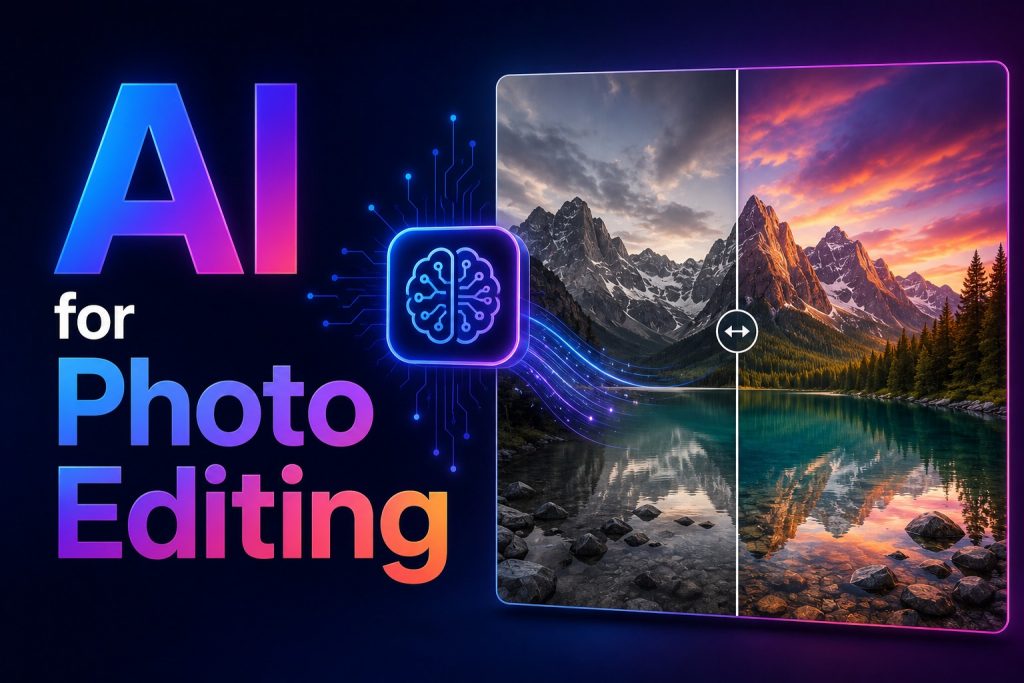
Example: A travel blogger photographs a stunning mountain scene but the sky is flat and overcast. Using AI for photo editing in Luminar Neo, they click Sky AI, choose a dramatic sunset from the built-in library, and the tool automatically blends the replacement sky with the landscape, accounting for reflections on nearby water. The entire edit takes less than 90 seconds.
3. DeeVid AI Image Editor
DeeVid AI Image Editor is a browser-based AI for photo editing tool built around natural-language instructions, allowing users to upload an image and describe the changes they want instead of working through complex menus and manual selections. It handles background removal and replacement, object erasing and addition, portrait retouching, color and lighting correction, image upscaling, and restoration of old or damaged photos. More advanced features include Generative Fill, canvas expansion, image-to-image transformation, and the ability to use reference images to guide the style and appearance of an edit.
A key advantage is its connection to DeeVid’s wider creative platform. Once an image has been cleaned up or transformed, creators and marketing teams can use the same asset in image-to-video, AI advertising, and other content-generation workflows without moving between multiple applications. New users receive 20 free credits when they register, while paid plans provide additional credits and access to the platform’s broader image and video toolset.
Example: A small e-commerce brand has a basic product photo taken against an uneven office wall but needs a polished image for an upcoming social media campaign. Using AI for photo editing in DeeVid AI Image Editor, the marketing manager removes the original background, replaces it with a softly lit studio setting, erases a reflection from the product packaging, and expands the image vertically for an Instagram Story. They can then send the finished product image into DeeVid’s image-to-video workflow to create an animated ad from the same asset.
4. Adobe Lightroom (AI Edition)
Adobe Lightroom is the definitive catalog and RAW editing platform for working photographers, and its AI for photo editing features have expanded dramatically in recent years. Powered by Adobe Sensei and Firefly, Lightroom’s standout AI capabilities include Generative Remove (which erases distracting objects and reconstructs the background), one-click AI Masking for subjects, skies, and objects, and AI Denoise for cleaning up high-ISO images. Adaptive Presets automatically apply localized adjustments to specific image regions like eyes or clothing. Pricing starts at $11.99/month for Lightroom alone, or $19.99/month as part of the Photography Plan that also includes Photoshop and 20GB of cloud storage.
Example: A wedding photographer returns from a ceremony with 1,200 images. Using AI for photo editing in Lightroom, they apply AI Masking in batch mode to darken the sky across all outdoor shots simultaneously, then use Generative Remove to erase a stray tripod from the aisle shot — a task that previously would have taken 30+ minutes is done in under two.
5. Topaz Photo AI
Topaz Photo AI is the specialist choice for AI for photo editing when technical image quality is the top priority — specifically noise reduction, sharpening, and upscaling. It combines three formerly separate Topaz products (DeNoise AI, Sharpen AI, and Gigapixel AI) into a single streamlined desktop application. Its neural networks are trained on real photographic problems like high-ISO grain, motion blur, and low-resolution cropped images, delivering results that consistently outperform built-in tools in Lightroom or Photoshop for this specific task. Topaz Photo AI is available for a one-time purchase of $199, which includes free upgrades for one year; annual renewal is around $99/year thereafter.
Example: A wildlife photographer captures a rare bird in flight — technically correct but shot at ISO 6400, leaving heavy grain across the feathers. Using AI for photo editing in Topaz Photo AI, they run the image through the Denoise model, which reduces noise while preserving feather detail at a level invisible to natural algorithms, then upscale the image to 2x for print delivery. The result is a clean, print-ready file from what would otherwise have been an unusable frame.
6. Canva (Magic Studio)
Canva has evolved from a simple design platform into a fully featured AI for photo editing suite that caters primarily to marketers, social media managers, and small business owners. Its Magic Studio encompasses Magic Edit (generative object replacement via text prompts), Magic Eraser (one-click object removal), background remover, AI image upscaler, and an in-image translator for over 100 languages. Canva’s strength lies in combining AI editing with a vast library of templates, making it the go-to tool for creating polished, publish-ready visuals without design expertise. The free plan provides access to over two million templates and core AI tools; Canva Pro is $14.99/month (or $120/year), while Canva for Teams runs at $10/month per user (minimum three users).
Example: A small e-commerce brand needs ten product images formatted for Instagram Stories, Facebook Ads, and their website — all different dimensions. Using AI for photo editing in Canva, their marketing manager uploads the product shot, removes the background in one click, drops it into a branded template, and uses Magic Resize to automatically reformat it across all required dimensions in under a minute per image.
7. Photoroom
Photoroom is the leading AI for photo editing tool purpose-built for e-commerce sellers and product photographers who need professional results without professional skills. The platform specializes in instant background removal and replacement, AI-generated lifestyle backgrounds (place your product on a marble countertop or in a forest clearing with a text prompt), virtual model generation for apparel, and batch processing of hundreds of images at once. It is available on web, iOS, and Android. The free plan allows up to 250 exported images per month with a watermark; the Pro plan runs approximately $7.50–$9.99/month depending on billing cycle.
Example: A Shopify store owner selling handmade candles takes product photos on their kitchen counter with a cluttered background. Using AI for photo editing in Photoroom, they upload 30 photos, remove all backgrounds in seconds with batch processing, and then apply an AI-generated “cozy lifestyle” background — warm wood table, soft candlelight ambiance — to every image at once. Their product listings are transformed from amateur to professional without a studio or photographer.
8. Remove.bg
Remove.bg is the definitive single-purpose AI for photo editing tool, doing exactly one thing — removing image backgrounds — with exceptional speed and precision. It handles complex edges including hair, fur, and semi-transparent objects better than most general-purpose tools, and it integrates natively with Canva for basic post-removal editing. For high-volume users and developers, Remove.bg offers a robust API for automating background removal at scale. Pricing begins with one free credit, then shifts to a pay-as-you-go model at $0.90 per image or monthly subscriptions starting at around $8.10/month for 40 images.
Example: A graphic designer at a marketing agency regularly receives product shots from clients with inconsistent, messy backgrounds. Using AI for photo editing in Remove.bg, they batch-upload all incoming images via the API connected to their studio’s content management system — every photo is returned with a clean transparent background automatically, shaving hours of weekly masking work off the team’s schedule.
9. Remini
Remini occupies a unique niche in AI for photo editing: restoring and enhancing degraded, blurry, or low-resolution photographs with a specific emphasis on facial detail. Its AI is purpose-trained on portrait imagery, making it exceptionally strong at recovering sharpness and clarity from old family photos, scanned prints, and low-resolution selfies. Additional features include black-and-white photo colorization and general image upscaling. Remini is primarily a mobile-first app (iOS and Android). The free plan allows a limited number of daily enhancements; Remini Premium is $9.99/month for unlimited use.
Example: A user finds a faded, low-resolution scan of their grandparents’ wedding photo from the 1950s — blurry faces, scratched surface, no color. Using AI for photo editing in Remini, they upload the image, apply the enhancement model to sharpen facial features and recover detail, and then use the colorization tool to add realistic color. The output is a high-resolution, full-color portrait the family can print and frame.
10. Imagen AI
Imagen AI is an AI for photo editing platform built specifically for high-volume professional photographers — particularly those shooting weddings, events, portraits, and sports. Its core capability is learning your personal Lightroom editing style from your past catalog of edited images, then applying that exact style automatically to every new shoot. Operating as a Lightroom plugin, it can process and export an entire shoot in minutes rather than hours. Pricing is structured at $7/month base plus $0.05 per image, making it cost-effective for photographers shooting moderate volume but expensive for very high-volume seasons.
Example: A wedding photographer shoots 2,000 images across a full wedding day. Previously, culling and basic editing took two full days. Using AI for photo editing in Imagen AI, they upload the shoot to Lightroom, run Imagen’s profile (trained on their last 50 edited weddings), and receive consistent base edits across all 2,000 images in approximately 40 minutes — leaving only hero shots requiring final creative attention.
11. Snapseed
Snapseed, developed by Google, remains one of the most capable free AI for photo editing apps available — particularly for mobile users who want professional-level results without a subscription. Its toolkit includes a Healing tool for object removal, Selective editing for localized adjustments, HDR Scape, portrait retouching, and a non-destructive editing stack that allows any adjustment to be revisited or deleted at any time. While its AI features are more subtle than newer dedicated AI tools, the precision and control Snapseed offers is unmatched at its price point. Snapseed is completely free on iOS and Android.
Example: A travel photographer captures a striking street scene in golden-hour light but the foreground is several stops underexposed. Using AI for photo editing in Snapseed, they use the Selective tool to tap the foreground, then drag up to brighten only that region — without affecting the perfectly exposed sky — delivering a naturally balanced image straight from their phone in under two minutes.
12. PicsArt
PicsArt is a versatile AI for photo editing platform that blends a powerful creative toolkit with a social community where artists share and remix work. The app offers AI-generated backgrounds, style transfer, text-to-image generation, object removal, background removal, and a large library of stickers and overlays. It is particularly strong for social-native workflows, enabling creators to produce eye-catching content quickly for Instagram, TikTok, and YouTube. PicsArt operates with a free plan that includes ads and watermarks on some outputs; PicsArt Gold is $13/month and unlocks the full suite of AI tools without watermarks.
Example: A fitness influencer wants to post a motivational workout photo but the gym background is cluttered and distracting. Using AI for photo editing in PicsArt, they remove the background, apply a vibrant neon-lit gym scene generated by the AI background tool, add a motivational text overlay using the app’s font library, and publish — all from their phone while still at the gym.
13. Fotor
Fotor is an all-in-one web and mobile AI for photo editing platform that excels at providing one-click enhancements for users who want good results without a steep learning curve. It features automatic enhancement, background removal, AI upscaler, portrait retouching, object removal, image restoration, and a large collection of creative filters — including novel styles like “Ghibli-style” and clay-portrait effects. It also includes a design template library for social media posts and marketing materials, blending photo editing with basic graphic design. The free plan covers essential tools; Fotor Pro starts at approximately $8.99/month.
Example: A food blogger photographs a home-cooked dish but the lighting is uneven and the counter behind the plate is messy. Using AI for photo editing in Fotor, they apply the one-click auto-enhancement to fix color temperature and exposure, then use object removal to erase the cluttered background items. The final image looks like it was shot in a professional food photography studio.
14. Pixlr
Pixlr is a fast, browser-based AI for photo editing platform that delivers near-Photoshop functionality without requiring any software installation. It features AI background removal, generative fill (in beta), auto-enhancement, templates, overlays, and a full suite of manual adjustment tools. Its accessibility across desktop and mobile browsers makes it popular for users who work across multiple devices or in environments where installing software is impractical. The free plan includes basic tools with ads; Pixlr Plus removes ads and unlocks premium AI features at $7.99/month.
Example: A social media coordinator working from a coffee shop on a borrowed laptop needs to quickly retouch a headshot for a press release. Using AI for photo editing in Pixlr directly in Chrome, they open the image, use AI background removal to swap the cluttered office backdrop for a clean white one, adjust brightness and contrast, and download the finished file — with no software download and no design experience required.
15. Lensa AI
Lensa AI is a mobile-first AI for photo editing app that built its reputation on Magic Avatars — a feature that transforms your selfies into a set of stylized AI-generated portraits in various artistic styles, from oil painting to science fiction concept art. Beyond avatars, Lensa handles everyday portrait retouching including AI background removal, skin smoothing, blemish removal, and lighting adjustments. It is designed for casual users who want to enhance personal photos for social media profiles and stories. Lensa is free with basic features; Lensa Pro costs approximately $7.99/month or $35.99/year, with Magic Avatars generation costing an additional one-time fee per batch.
Example: A professional seeking a more dynamic LinkedIn profile photo than their standard corporate headshot uses AI for photo editing in Lensa to generate 50 Magic Avatars from ten selfies. They receive a range of stylized portraits — some in realistic business-portrait style, others more artistic — and select the most polished one for their profile, receiving significantly more profile views in the weeks that follow.
16. Adobe Firefly (Standalone)
Adobe Firefly is Anthropic’s dedicated generative AI for photo editing and image creation platform, available both as a web tool and embedded within Photoshop, Lightroom, and Express. Its key differentiator from competitors like Midjourney is its commercial safety: Firefly is trained exclusively on Adobe Stock images, openly licensed content, and public domain material — giving enterprise users IP indemnification on outputs. Features include text-to-image generation, Generative Fill, style matching, and text effects. Firefly is included with Creative Cloud subscriptions, or available via a limited free web tier with paid Firefly credits for heavy usage starting at $4.99/month.
Example: A marketing agency producing a global advertising campaign needs to generate product lifestyle imagery across multiple cultural contexts quickly. Using AI for photo editing in Adobe Firefly, the creative team generates a series of kitchen scenes featuring their client’s cookware — Mediterranean, East Asian, and Scandinavian aesthetic variants — all in a single afternoon with full commercial licensing confidence, bypassing weeks of international location shoots.
17. Midjourney
While primarily known as a text-to-image generator, Midjourney has evolved into a powerful AI for photo editing and visual ideation platform, particularly for creative professionals who need highly stylized, atmospheric imagery. Version 7 introduced enhanced photorealism, improved prompt adherence, and in-painting capabilities for editing specific regions of existing images. Its aesthetic output — characterized by strong atmosphere, dramatic lighting, and visual richness — makes it especially popular for editorial photography, concept art, brand moodboards, and campaign ideation. Midjourney operates via Discord or its web interface. Pricing starts at $10/month (Basic), $30/month (Standard), and $60/month (Pro), all based on monthly GPU time allocations.
Example: A fashion brand’s creative director needs a series of moodboard images for an upcoming autumn campaign — moody forest settings, dramatic chiaroscuro lighting, and vintage-inspired color grading. Using AI for photo editing and generation in Midjourney, they iterate on a detailed prompt describing their aesthetic over 20 minutes, arriving at a set of hero images that define the entire campaign’s visual language before a single model is booked or a single location scouted.
18. Stable Diffusion (with ComfyUI / Automatic1111)
Stable Diffusion is the leading open-source AI for photo editing and image generation model, prized by technical users for its unmatched flexibility: it runs locally on your own hardware (eliminating subscription costs and privacy concerns), and its massive ecosystem of fine-tuned models and LoRA adapters means it can replicate almost any visual style. Advanced interfaces like ComfyUI and Automatic1111 enable inpainting, outpainting, img2img transformations, upscaling, and full generative workflows. Stable Diffusion itself is free and open-source; running it requires a capable GPU (8GB+ VRAM recommended), though cloud-based services like Replicate offer access from approximately $0.01–$0.05 per image.
Example: A digital artist using AI for photo editing in Stable Diffusion with the SDXL model uploads a raw portrait photo and runs an img2img transformation at 60% denoising strength with a custom fine-tuned anime-style LoRA. The output transforms the realistic photograph into a polished anime-style portrait while preserving the subject’s likeness — a fully custom result impossible to achieve with commercial tools lacking this level of model-level control.
19. Claid.ai
Claid.ai is a specialized AI for photo editing platform built for e-commerce and retail businesses that need to automate the transformation of basic product shots into polished, marketplace-ready imagery at scale. It generates lifestyle photos from product images — placing items into fashion shoots, flatlay compositions, or contextual scenes with AI-generated models and environments — and features automatic background removal, image enhancement, upscaling, and a developer API for integrating directly into e-commerce CMS systems. Pricing is usage-based, with details provided on request for business plans; a free trial is available.
Example: A furniture retailer with 3,000 SKUs needs lifestyle imagery showing each product in realistic room settings. Using AI for photo editing in Claid.ai, their product team uploads flat white-background product photos through the API, which automatically places each item into appropriate room environments — the sofa in a living room, the desk in a home office — generating an entire lifestyle catalog in days rather than the months a traditional photography approach would require.
20. YouCam Perfect
YouCam Perfect has grown from a selfie beautification app into a comprehensive mobile AI for photo editing suite, distinguished by its “AI Agent” feature — a natural language editing interface that lets users type commands like “make the sky more dramatic” or “soften the lighting on my face” and have the AI execute the edit without any manual slider adjustment. It also handles full generative editing, background removal, blemish correction, portrait retouching, and creative filter application. YouCam Perfect is available on iOS and Android. The free plan covers core tools; Premium unlocks the full AI Agent and high-resolution exports, priced at approximately $4.99/month (annual billing).
Example: A casual user who has never edited a photo before wants to improve a group photo from a friend’s birthday party. Using AI for photo editing in YouCam Perfect, they type “remove the cluttered background and replace it with something that looks like a rooftop bar at night” — the AI Agent interprets the command, removes the background, and generates a realistic nighttime cityscape behind the group with no manual selection or masking required.
21. Topaz Gigapixel AI
Topaz Gigapixel AI is the dedicated upscaling specialist within the broader AI for photo editing ecosystem, focused exclusively on enlarging images up to 600% while adding realistic detail rather than simply interpolating pixels. Unlike standard bicubic scaling, Gigapixel’s neural networks hallucinate plausible texture and detail based on what they’ve learned from millions of high-resolution training images — making it invaluable for printing large-format work, recovering cropped sections, or modernizing archival images. It functions both as a standalone application and as a plugin for Photoshop and Lightroom. Pricing is approximately $99.99 as a one-time purchase (often bundled with the full Topaz Photo AI suite).
Example: A museum needs to reproduce a photograph from its archive as a large-format print for a new exhibition, but the original scan is only 2 megapixels. Using AI for photo editing in Topaz Gigapixel AI, the archival team upscales the image to 24 megapixels, with the AI reconstructing clothing fabric texture, hair detail, and background elements convincingly. The resulting print at 24×30 inches holds sharp detail the original scan could never have supported.
22. DxO PhotoLab 8
DxO PhotoLab 8 is a professional desktop AI for photo editing application renowned for its world-class noise reduction (DeepPRIME XD2S) and optical correction capabilities. Unlike generative AI tools, DxO’s AI is deeply technical — trained on specific optical physics for thousands of camera and lens combinations, it corrects lens distortion, chromatic aberration, and vignetting with mathematical precision that no slider-based editor can match. It works best as a pre-processing step before moving to Photoshop or Lightroom for creative editing. DxO PhotoLab 8 is available for a one-time purchase of $229 (Elite edition), with annual updates available at a discounted upgrade price.
Example: An architectural photographer shooting interiors with a wide-angle lens produces images with significant barrel distortion and corner vignetting. Using AI for photo editing in DxO PhotoLab 8, they apply the lens module specific to their exact camera-lens combination, and both optical errors are corrected automatically with sub-pixel precision — a correction that would take 10–15 minutes of manual distortion grid adjustment in Photoshop.
23. Aftershoot
Aftershoot is an AI for photo editing and culling platform designed to solve the single biggest time drain in professional event photography: selecting the best frames from thousands of similar-looking shots. Its AI analyzes composition, sharpness, facial expressions, eye contact, and blinking to automatically identify the strongest images from each burst or sequence. The integrated Aftershoot Edits module then applies your personal editing style — learned from your Lightroom or Capture One catalog — to every selected image. The combined plan is $14.99/month, offering both culling and editing in a single application.
Example: A portrait studio photographer returns from a corporate headshot day with 800 images across 40 subjects — typically a day and a half of culling and editing. Using AI for photo editing in Aftershoot, they run the cull in under ten minutes (the AI selects the best 200 images), then apply their preset editing style to all selected images automatically. The completed, client-ready gallery is delivered the same evening.
24. Evoto AI
Evoto AI is a professional AI for photo editing retouching tool designed specifically for portrait, headshot, wedding, and beauty photographers who need consistent, high-quality facial retouching at scale. It automates skin smoothing, blemish removal, teeth whitening, eye enhancement, skin tone evening, and background replacement — all with granular intensity sliders so the results always look natural rather than over-processed. A batch-retouching mode processes entire galleries simultaneously, dramatically reducing the time cost of portrait post-production. Evoto AI starts at approximately $19/month for the Standard plan with access to its full retouching suite.
Example: A headshot photographer hired to photograph 60 corporate employees in one day finishes the shoot with 300 images requiring retouching. Using AI for photo editing in Evoto AI, they apply a batch retouch profile customized to a “natural, professional” look — subtle skin smoothing, brightened eyes, whitened teeth — and process all 300 images in 20 minutes. Each subject receives consistent, flattering retouching without the artificial look that heavy manual editing often produces.
Why AI For Photo Editing Is Useful
AI for photo editing has moved well beyond novelty — it is now a core productivity and quality tool for professionals and casual users alike. Here’s why it matters:
Speed and efficiency. Tasks that once took hours — background removal, noise reduction, batch color correction — now take seconds. AI for photo editing dramatically reduces turnaround time, allowing photographers, designers, and marketing teams to produce more content in less time without sacrificing quality.
Democratization of expertise. AI for photo editing puts professional-level results within reach of users with no technical skills. A small business owner can now produce studio-quality product photos; a first-time photographer can recover a blurry shot; a marketing intern can produce campaign-ready visuals — all without hiring specialists.
Consistency at scale. Businesses with large image catalogs benefit enormously from AI for photo editing because it can apply consistent corrections, styles, or enhancements across thousands of images simultaneously — something that would require a team of editors working for days manually.
Cost reduction. By replacing expensive reshoots, outsourced retouching, and time-consuming manual workflows, AI for photo editing directly reduces production costs for individuals and enterprises alike. The ROI of the right tool — even a premium subscription — is typically realized within the first few weeks of use.
Creative augmentation. Rather than replacing creative judgment, the best AI for photo editing tools amplify it — handling the technical and repetitive work so that photographers and designers can focus entirely on the decisions that require genuine creative vision.
Final Thoughts
The landscape of AI for photo editing in 2026 is rich, diverse, and rapidly maturing. There is no single best tool for everyone — the right choice depends on your use case, skill level, volume, and budget. If you’re a professional photographer managing large shoots, Imagen AI and Aftershoot will reclaim your schedule. If you’re an e-commerce seller, Photoroom and Claid.ai will transform your product visuals. If pure image quality is your priority, Topaz Photo AI is unmatched. And if you want a single platform that does it all, Adobe Photoshop with Firefly AI remains the gold standard.
The most practical approach to AI for photo editing is to start with one or two tools that target your biggest pain point, take advantage of free trials, and build from there. The tools in this list represent the best the industry has to offer in 2026 — and given how quickly this space moves, what’s impressive today is only the beginning of what’s coming next.