When I tested Image to Video AI, I did not begin by asking whether the results could impress me in a few seconds. That kind of test is too shallow. Instead, I wanted to know whether the platform could help me understand the relationship between image, prompt, and motion. Many AI video tools look exciting from the outside, but after a few attempts, the user may feel unsure about what actually controls the result. My goal was to test whether Image2Video made that relationship easier to learn.
The frustration with image-to-video tools is often not the generation itself. The frustration is uncertainty. If a result looks wrong, users need to know what to change. Should they adjust the source image? Rewrite the motion description? Ask for a slower camera move? Try a more specific atmosphere? A good tool does not eliminate these questions, but it should make experimentation feel possible rather than exhausting.
After testing Image2Video with several prompt styles, my honest feeling is that the platform works best when you treat it as a creative conversation with the image. You are not simply pressing a button. You are telling the still frame how it should begin moving. That makes the process more interesting, but it also means the user has responsibility. Clearer prompts usually lead to more meaningful tests.
I Tested Prompts Before Judging The Platform
Many reviews rank AI tools by final output alone. That is understandable, but incomplete. With generative video, the process of getting to the output matters just as much as the output itself.
A Tool Should Teach Users Through Iteration
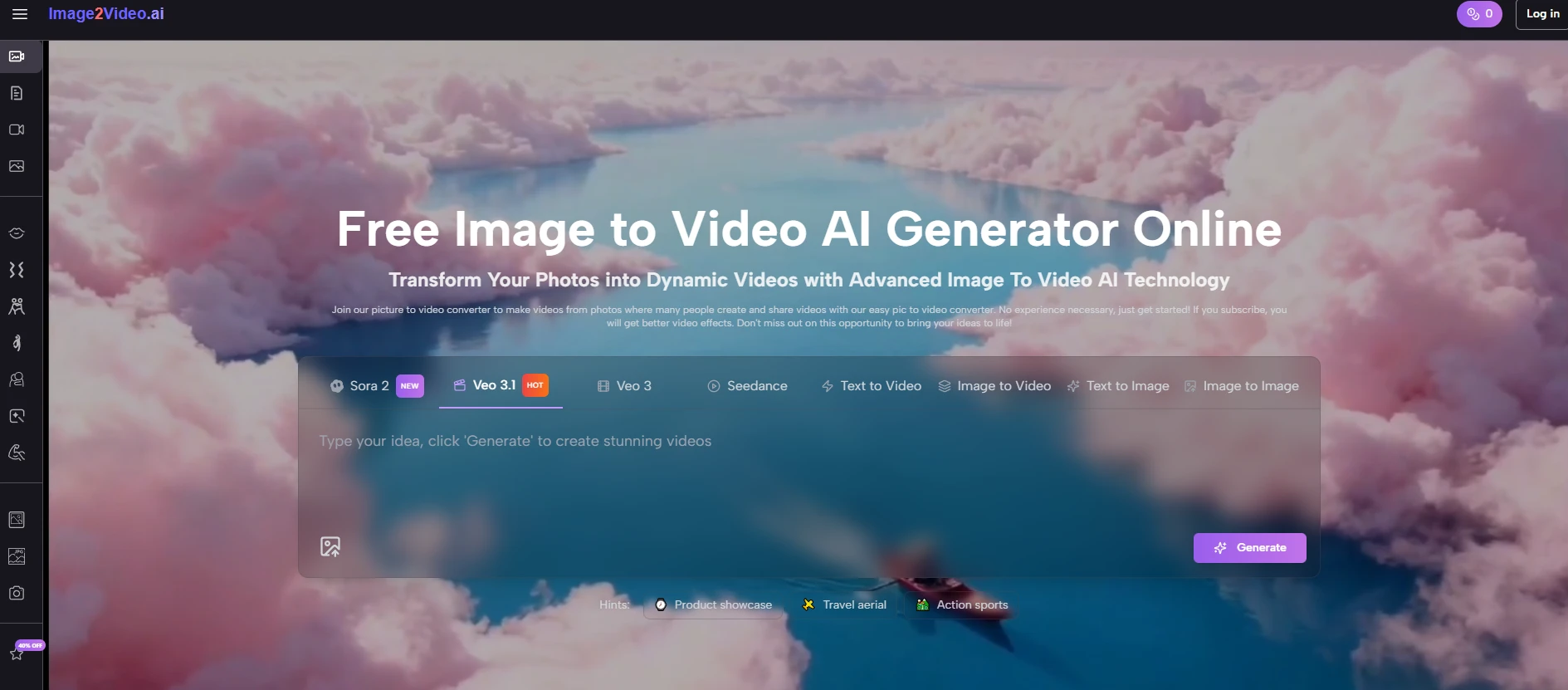
The first thing I looked for was whether Image2Video made iteration feel natural. The official workflow is simple: upload an image, write a prompt, generate the video, and export the result. Because the steps are not overloaded, users can focus on improving the instruction.
This matters because the first prompt is often only a rough guess. A user might start with “make this product look cinematic,” then realize that the prompt needs more direction. A better version might mention a slow push-in, soft light movement, or a clean product showcase feeling. The platform’s simple workflow makes this kind of refinement easier.
Good Prompting Feels Like Directing A Still Frame
The most useful mindset is to imagine that you are directing the image. What should move? How should the camera behave? Should the mood feel calm, energetic, elegant, futuristic, nostalgic, or commercial? These questions help the prompt become more specific.
In my testing, prompts with a clear motion intention felt stronger than vague prompts. That does not mean the user needs professional film language. It means the user should describe the desired movement in plain words.
The Official Flow Supports Practical Testing
Image2Video’s public pages present a workflow that is easy to understand. It is not a complex editing suite with dozens of manual layers. It is a streamlined image-to-video process driven by upload and instruction.
The Process Is Simple Enough To Repeat
| Step | Testing Action | Practical Value |
| 1 | Upload a still image | Gives the system a visual source |
| 2 | Describe the desired motion | Turns user intention into direction |
| 3 | Generate the AI video | Converts the image into moving output |
| 4 | Export the result | Lets the user save a usable video file |
This structure matters because prompt testing depends on repetition. If the workflow is slow or confusing, users will not test enough variations. If the workflow is clear, users are more likely to refine.
The Best Workflow Leaves Room For Learning
A good creative tool should not require mastery before first use. It should allow learning through use. You can upload an image and begin testing quickly, then improve your prompts as you see how the system responds.
That makes the platform more approachable for beginners while still leaving room for more thoughtful creators to refine their results.
Six Platforms Tested Through Prompt Control
I looked at six image-to-video tools through one specific question: which platform feels most understandable when prompt control matters?
| Number | Platform | Prompt Testing Impression | Best Fit |
| 1 | Image2Video | Clear image plus prompt workflow encourages quick refinement | Users who want direct prompt-guided image animation |
| 2 | Runway | Strong creative ecosystem with broader controls | Creators needing a larger production environment |
| 3 | Kling | Interesting for motion-focused experimentation | Users chasing visually dynamic movement |
| 4 | Pika | Fast to test social-style ideas | Creators prioritizing speed and shareability |
| 5 | PixVerse | Useful for energetic short clips | Users who like bold visual effects |
| 6 | Hailuo | Worth exploring for newer AI video styles | Users willing to test emerging workflows |
Why Prompt Clarity Beats Tool Abundance Here
Runway may offer a more expansive creative environment, and that can be valuable. But when the task is specifically to animate a still image, too many options can sometimes distract from the main experiment. Kling, Pika, PixVerse, and Hailuo each have their place, especially for users who enjoy trying different visual styles. Image2Video feels more direct for prompt-based image animation.
The advantage is not that it removes creative uncertainty. The advantage is that it makes uncertainty easier to work with.
My First Prompt Test Was Too Vague
I began with a general motion instruction. The result was not bad, but it felt less intentional than I wanted. That taught me something useful: the platform can work with simple instructions, but stronger prompts give it more to interpret.
Vague Prompts Often Produce Generic Motion
This is not surprising. If you tell an AI tool to “make it cinematic,” the phrase may sound attractive, but it does not explain what should happen. Should the camera move forward? Should the background shift? Should the subject remain stable? Should the lighting change? Without that direction, the output may feel acceptable but not memorable.
Specific Prompts Help Preserve The Image Purpose
A stronger prompt does not need to be complicated. It can simply be more purposeful. For a product image, the prompt might request slow camera movement and clean commercial lighting. For a landscape, it might ask for drifting atmosphere and gentle depth. For a portrait, it might focus on subtle motion and natural feeling.
My Second Test Focused On Product Movement
Product images are useful test subjects because they have a clear purpose. The viewer should understand the object. The motion should support attention rather than create confusion.
Controlled Movement Worked Better Than Dramatic Action
When testing product-style prompts, I found that restrained directions felt more practical. A slow zoom, a soft reveal, or a clean camera push made more sense than asking for heavy transformation. The goal was not to turn the product into something else. The goal was to make the product feel more present.
The Platform Can Help Small Teams Test Ideas
This use case feels especially relevant for small businesses and solo creators. They may not have video assets for every product, but they often have photos. A direct image-to-video tool gives them a way to test motion without starting a full video production process.
The result may still need selection and refinement, but the cost of trying becomes much lower.
My Third Test Used A Portrait Image
Portraits are more delicate. When a product moves strangely, it may simply look unusual. When a face moves strangely, viewers notice immediately. That made the portrait test more demanding.
Subtle Instructions Felt Safer And More Natural
For portrait-style images, I found that gentler prompts were better. Instead of asking for dramatic movement, I preferred subtle camera motion, soft environmental atmosphere, or a calm expression of life. This produced a more believable feeling than pushing the image too hard.
The lesson is simple: not every image should move dramatically. Some images need only a small amount of motion to feel more alive.
Human Images Require Careful Review
Even when the workflow is simple, the user should review portrait outputs carefully. AI motion can sometimes introduce details that feel slightly unnatural. It is a wider limitation of generative video. The important thing is to approach human imagery with restraint and patience.
That is why the platform’s ease of iteration matters. You can test, compare, and choose the most natural result.