A small office looks spacious after the photograph is cleaned. A background shelf disappears, the window grows brighter, and a second desk becomes a plant. A prospective employee may see a calm room with generous space, even though the actual workplace is crowded.
Office photographs can influence expectations about the place people will work. Cleanup should therefore distinguish incidental clutter from the room’s real facilities and layout. A tidy image is useful when it still represents the workplace. A more attractive fictional office sets up a disappointment that the first visit will expose.
Identify the Expectation the Picture Creates
Consider where the image will appear. A recruitment page may imply that the room is an actual workplace. A design mood board can present an aspiration. The same edited photograph has different consequences in those two settings, so decide its role before changing the scene.
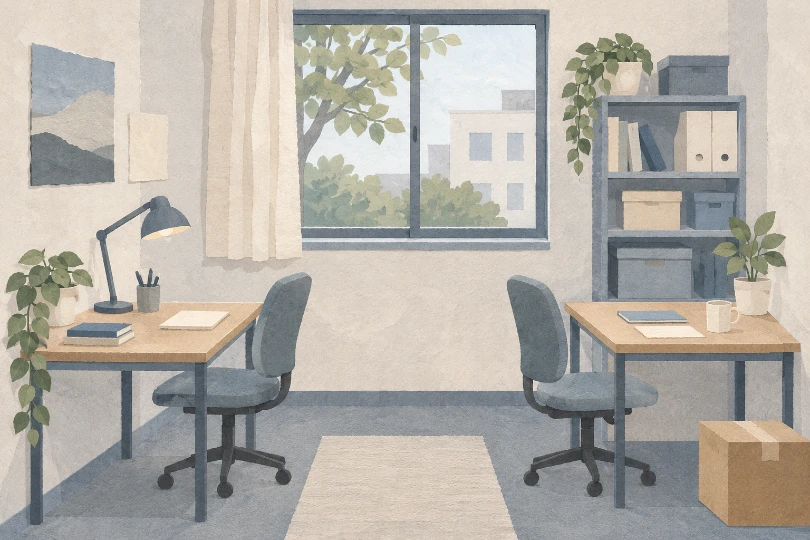
For a hypothetical small team, the source image shows two desks near a window and a shared storage shelf. Personal mugs and a delivery box create clutter. Removing the box might make the room easier to see. Removing a desk would change how many people seem to occupy it.
List the features a newcomer could reasonably infer: the number of workstations, room size, daylight, storage, and any visible meeting area. The photograph may not establish each feature precisely, but it can still create a strong impression. Review edits according to that impression rather than treating the background as harmless decoration.
An AI Photo Editor can help prepare a cleaner image. The important boundary is whether a change alters the place being represented. A coffee cup and a structural window are not interchangeable cleanup targets, even when both distract from the composition.
Ask someone familiar with the office what the original photograph leaves unclear. A better camera position or another room image may solve the problem without reconstruction. The goal is a comprehensible presentation of the workplace rather than the most spacious-looking version of one frame.
Prepare a List of Incidental and Structural Changes
Separate objects that happen to be present from features that define the room. A temporary delivery box, a loose coat, or a stray wrapper may be incidental. A permanent cabinet, a workstation, and a partition describe how the space is used.
PicEditor AI offers object cleanup and background-changing workflows. Those can supply an edited candidate, but the employer needs to decide which changes fit the page’s purpose. The team must identify which cabinet contains shared equipment and which desk is a regular workstation.
An AI Photo Editor could help remove a temporary box without replacing the room. Keep the request narrow and inspect nearby furniture afterward. A removal that expands the floor or changes a desk edge can affect the apparent layout beyond the object that was targeted.
A photo editing tool should be judged against a list of permitted changes when the image represents actual facilities. That list can be short: remove the box and loose coat; preserve furniture, windows, and partitions. It gives the reviewer something concrete to verify.
Show the Room Clearly Without Inventing Another Office
Start by considering a straightforward crop or another source photograph. A crowded edge can sometimes be excluded without misrepresenting the main room. Check what context the crop removes; hiding an adjacent row of desks may imply more personal space than workers actually have.
If an edit is needed, keep the real arrangement legible. A shelf behind a desk can remain visible without dominating the composition. Adjusting the framing or using a quieter photograph may work better than erasing the shelf and rebuilding the wall.
When reviewing a result from a photo editing tool, follow the room’s lines. Look at the floor boundary, desk edges, window frame, and partition. A small change in perspective can make the space seem deeper. The question is whether the picture still describes the same room convincingly.
For a concept image, give the proposed design a clear presentation separate from actual workplace photographs. A team may reasonably explore a future layout, but the recruitment page should not quietly mix that proposal into a gallery of existing facilities. The distinction belongs in the way the image is used.
Compare the Selected Image With a Simple Walkthrough
Ask someone who works in the space to compare the candidate with the actual room. They can check whether the number of desks, storage, and visible connections remain recognizable. Ask them to identify specific furniture or architectural features that changed. A casual statement that the room looks nicer can leave those differences unexamined. If a regular workstation has disappeared, restore it or choose another photograph. The purpose of this review is to make the depicted facilities match the place a newcomer will encounter.
Then show the assembled page to someone unfamiliar with the office. Ask what they expect to find there. If they infer a private workstation or a meeting area the room does not provide, locate the image detail or layout choice that encouraged that belief.
Review the caption and surrounding copy. An accurate sentence about shared desks can be undermined by a photograph that appears to show a private room. The visual and written descriptions should support the same expectation rather than leave the reader to reconcile them.
Use more than one straightforward photograph when one angle cannot explain the space adequately. A second real view may answer questions about the room’s arrangement better than a heavily reconstructed panorama. The presentation can be attractive without pretending that one image shows everything.
Keep the original source and a note of the chosen cleanup with the working material. When the office changes, the team can replace the photograph rather than reuse an image that no longer represents it. A photograph that was once accurate can become misleading over time, not only through editing.
Publish the Workplace People Will Actually Visit
A useful office image lets a newcomer recognize the space on arrival. Incidental cleanup can help that recognition by removing distractions. Changes to workstations, windows, and room boundaries require a different level of care because they alter the expectation itself.