TikTok Shop has changed the way brands connect with shoppers, making authentic, engaging, and entertaining video ads more important than ever. From creator-style product reviews and unboxing videos to problem-solution demonstrations and viral product showcases, the best-performing TikTok Shop ads often feel less like traditional advertising and more like content users genuinely want to watch. But figuring out what works—and consistently producing fresh creatives that capture attention—can be challenging, especially when you’re working with limited time, budgets, or creative resources.
That’s where AI comes in. Instead of starting every ad from scratch, you can use AI tools to analyze winning ad formats, recreate their visual styles, generate compelling scripts, and produce scroll-stopping videos tailored to your products. In this guide, we’ll explore how to identify successful TikTok Shop ad styles and use AI to recreate their key elements, helping you develop high-performing creatives faster without losing the authentic feel that makes TikTok content resonate.Found a TikTok Shop ad that works and want to recreate its style for another product? The challenge is adapting its hook, pacing, and product presentation without simply copying the original. A TikTok Shop Video Maker lets sellers use ad references, product images, and key selling points to create new AI TikTok Shop videos. This guide explains how to turn a proven ad format into a fresh product video.
How to Recreate Winning TikTok Shop Ad Styles
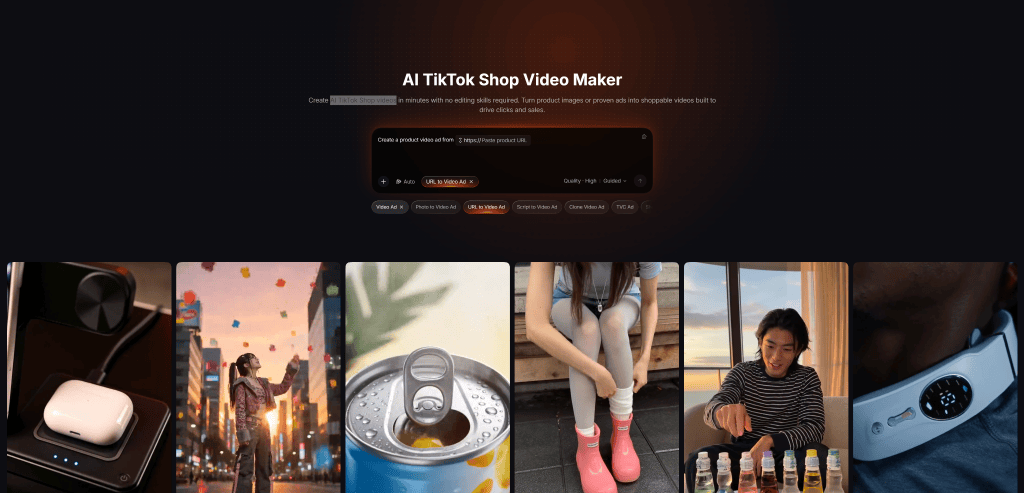
Step 1. Choose a Winning Ad as Your Reference
Open the TikTok Shop Video Maker and find a suitable reference through its Ad Library References option. You can browse existing TikTok Shop ads or upload a video of your own.
Look for an ad with a creative approach that could work for the product you want to promote. This might be a problem-solution story, a quick product demonstration, or a lifestyle-focused introduction. The selected video will guide the creation of your new ad.
Step 2. Upload Your Product Images
Add images of the product you want to feature. The tool supports up to eight images, giving the AI more visual material to create varied product shots.
You can use different views of the same item, including a full product shot, close-ups, packaging, and photos showing the product in use. These images help establish what the new ad should actually showcase.
Step 3. Select Selling Points and Adjust the Video Format
On Pollo AI, choose the product highlights you want viewers to notice. These could be a useful feature, a practical benefit, or a particular use case.
Then adjust the visuals and video format to suit TikTok. The tool supports vertical 9:16 output and short durations such as 16 seconds, which work well for feed-based product promotions.
Step 4. Generate and Review Your New Ad
Generate the video using your selected reference, product images, and selling points. Once it is ready, you can download or publish the result.
Before publishing, review the video to make sure the product is represented accurately and the generated scenes make sense. If something looks off, refine your inputs and generate another version rather than rushing to publish the first result.
Tips for Recreating TikTok Shop Ads More Effectively
Choose references based on their selling logic, not just views. A video with high views isn’t necessarily driving purchases. Look for a clear hook, product demonstration, or problem-solution angle that makes sense for the new product.
Adapt the format instead of copying the scenes. A portable blender ad might show someone making a drink while travelling. Another travel product could borrow that everyday-problem opening without repeating the blender demonstration. Keep the creative structure, but build a new story around the product.
Use varied, up-to-date product images. Avoid uploading several nearly identical shots. Check that packaging, colors, and product details match the current listing. Poor-quality or outdated images can undermine an otherwise promising video.
Keep the message focused. One or two convincing selling points are usually enough for a short ad. For example, a travel coffee maker could focus on portability and convenience rather than trying to explain every feature in 16 seconds.
Test different hooks and check actual results. Create variations using the same reference but change the opening or product angle. Compare product clicks and purchases, not just views, to understand which creative approach is worth repeating.
When Does Recreating Winning TikTok Shop Ads Make Sense?
This approach is particularly useful for sellers who already have a product video or ad format that performs well and want to apply its structure to other products. Dropshippers can use it to test different product angles, while affiliate creators can explore proven storytelling formats for new offers.
For creators exploring other ways to turn product ideas and visual assets into short-form content, a Steve AI video generator is another option worth considering. However, when the goal is specifically to adapt an existing TikTok Shop ad, starting with a relevant reference is a more direct approach.
Recreating ads is less useful when the only reason for choosing a reference is its high view count. Without a clear selling angle, there is little indication that the same format will work for another product.
Conclusion
Recreating a winning TikTok Shop ad doesn’t mean making a duplicate. The useful part is understanding its hook, pacing, and selling structure, then adapting those elements to a different product.
Sellers can now choose an ad reference, upload up to eight product images, highlight key selling points, and generate short vertical videos. A relevant reference and a clear product message provide a much better starting point for testing new ad creatives.